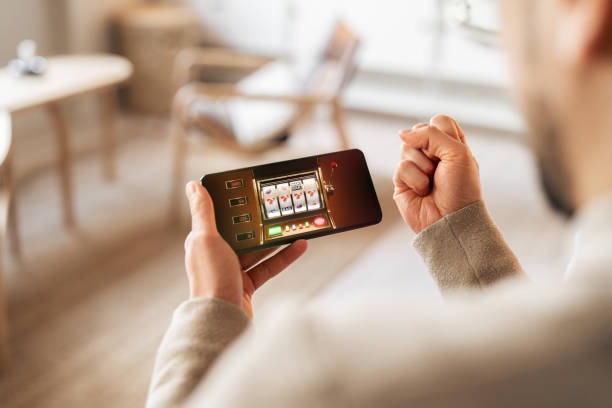
Installation Paths for gacor 69
We offer three ways to access gacor 69 on mobile. Choose the method that suits your device and preference.
Android APK
Direct download from gacor 69. Full app features, offline cache, push notifications.
Download APKiOS Browser
Open gacor 69 in Safari. Add to home screen for app-like experience. No App Store needed.
Open in SafariWeb Browser
Access gacor 69 from any phone browser. No download required. Works on all devices.
Open WebHow to Install gacor 69 on Your Phone
- Download: On Android, visit gacor 69 and tap the APK download button; on iOS, open Safari and navigate to our mobile site.
- Install: Android users enable unknown sources in Settings → Security, then tap the downloaded file to install; iOS users tap Share and select Add to Home Screen.
- Register: Open the app or web app, enter your email, username, password, and mobile number, then verify your account via email.
- Start: Log in, choose your payment method (DANA, e-wallet, mobile banking, local payment, online payment, e-wallet, or bank transfer), deposit, and access live tables or sportsbook markets.

App vs. Browser: What You Get
The gacor 69 Android APK offers offline caching, so live-dealer video and slot games load faster on repeat visits. Push notifications alert you to new Liga 1 odds, Piala AFF tournament updates, and account events without opening the app. The app also uses less data than the browser version because it compresses video streams and caches game assets locally. On iOS, the web app pinned to your home screen behaves like a native app but updates automatically when we release new features. Both paths give you the same account, same withdrawal speed, and same customer support.
Device Compatibility
gacor 69 runs on Android 7.0 and later, and iOS 12 and later. Most phones sold in the last five years meet these requirements. If your device is older, the web browser version may still work but may load slowly. We recommend at least 2 GB of free storage for the Android APK and a stable 4G or WiFi connection for live-dealer streaming. On slower connections, our app automatically switches to low-data mode, reducing video quality to maintain smooth playback.
Common Installation Issues
If the Android APK does not install, check that unknown sources are enabled in your phone's security settings. Some devices block installation by default. Go to Settings → Apps → Special app access → Install unknown apps, find your browser, and toggle the permission on. If you see a certificate warning, this is normal for apps installed outside the Play Store; tap Install anyway. On iOS, if the web app does not save to your home screen, try using Safari instead of Chrome, and ensure you have enough storage space. If you forget your password, use the login page's password-reset link; we send a reset email within minutes.

Data, Permissions, and Account Security
The gacor 69 app requests permission to access your device's camera (for account verification photos), microphone (for live-dealer chat), and storage (to cache game data). We do not access your contacts, calendar, or other personal files. All data sent between your phone and our servers is encrypted using SSL. Your account password is hashed and never stored in plain text. If you lose your phone, log in from another device and change your password immediately. Your account remains secure because we verify every login attempt and flag unusual activity. Withdrawals require email confirmation, so even if someone gains access to your account, they cannot move your funds without your approval.